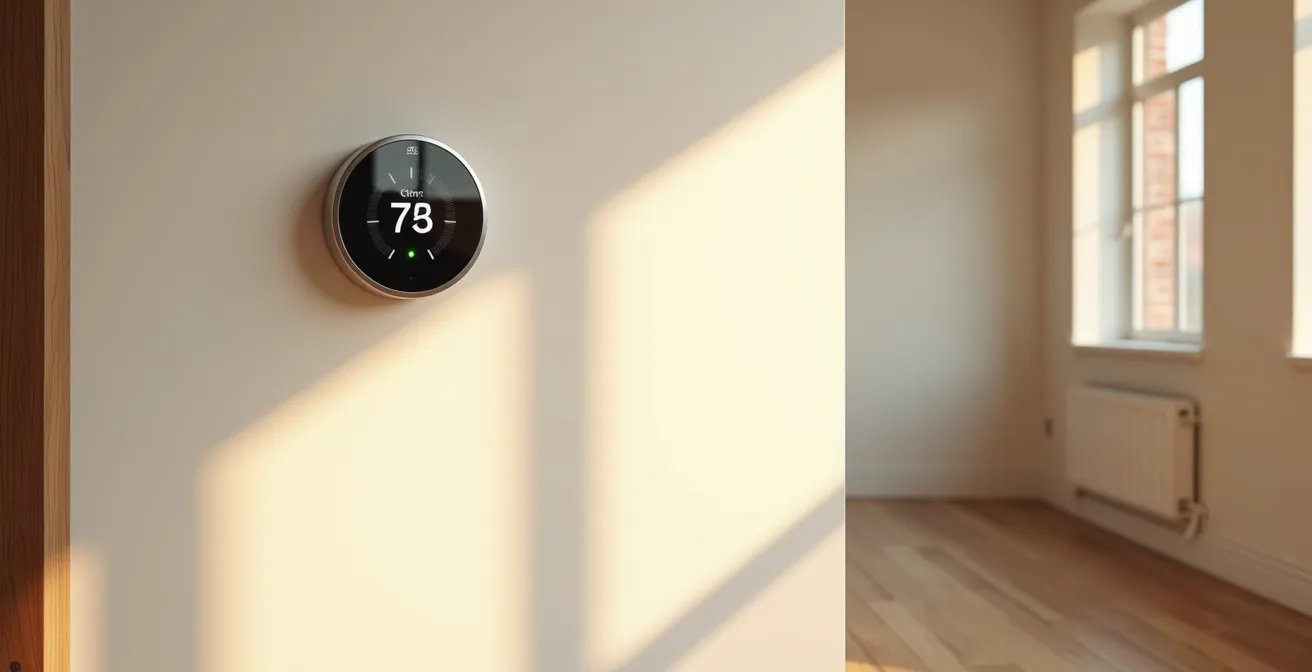
Achieving a 20% reduction in heating costs isn’t about the smart thermostat itself, but how you integrate it into a whole-home energy ecosystem.
- True savings come from eliminating hidden energy waste, like standby power from devices and heat loss from poor insulation.
- The right network protocol (like Zigbee) and a unified control app are critical for scalability and avoiding long-term frustration.
Recommendation: Before buying a thermostat, conduct a home energy audit to identify and fix drafts and vampire power drains; this will maximize your device’s ROI from day one.
For any homeowner watching their energy bills climb, the promise of a smart thermostat is seductive: a simple, one-time purchase that automates savings and pays for itself. The common advice is to install one, set a basic schedule, and let the magic happen. This approach often leads to some savings, but it barely scratches the surface of what’s possible and often overlooks the hidden inefficiencies that continue to drain your budget.
The real path to significant, sustainable cost reduction isn’t found in a single device, but in a change of perspective. Instead of viewing the thermostat as a standalone gadget, you must see it as the central nervous system of your home’s energy ecosystem. The most substantial savings—the kind that can genuinely reach 20% or more—are unlocked not just by programming “away” times, but by actively managing the hidden variables that most people ignore: phantom power draw from devices in standby, the thermal integrity of your house, and the very communication protocols your smart devices use.
This guide moves beyond the basics. We’ll adopt the mindset of a home energy auditor, focusing on Return on Investment (ROI) at every step. We will deconstruct the entire system—from identifying invisible energy vampires to calculating the true payback period of your investment—to build a truly intelligent and efficient home that works for you, not against your wallet.
To achieve this, we will explore the critical components of a high-performance smart energy system. This table of contents outlines the key strategies we’ll cover to transform your smart thermostat from a simple convenience into a powerful financial tool.
Table of Contents: A Homeowner’s ROI Guide to Smart Thermostats
- Why Does Your Smart Home Increase Electricity Usage in Standby Mode?
- How to Program “Away” Routines That Actually Save Money?
- Wi-Fi or Zigbee: Which Protocol Is Better for a Large Smart Home?
- The Purchasing Mistake That Leaves You With 5 Incompatible Apps
- When to Run Appliances: Automating Around Peak-Hour Rates
- How to Find Devices Stealing Electricity When Turned Off?
- How to Find Drafts in Your House With a Stick of Incense?
- How to Calculate the Real Payback Period of an A+++ Appliance?
Why Does Your Smart Home Increase Electricity Usage in Standby Mode?
The paradox of the smart home is that in the quest for efficiency, we often introduce a new source of waste: standby power. Every smart plug, bulb, and speaker remains connected and listening, consuming a small but constant stream of electricity. This phenomenon, known as vampire power or phantom load, can collectively undermine the very savings your smart thermostat is designed to generate. While a single device might only draw 1-2 watts, a home with 30-50 smart devices can see this add up to a significant, constant drain on your electricity bill.
This baseline consumption is the “cost of convenience” that manufacturers rarely advertise. A Wi-Fi-connected device, for instance, requires its radio to be powered 24/7 to maintain a connection with your router. While an ENERGY STAR certified smart thermostat can deliver savings on its own, its effectiveness is blunted if the rest of your home is hemorrhaging energy in standby. The auditor’s mindset requires us to see the full energy balance sheet. True optimization means not only reducing consumption when systems are active (like your HVAC) but also aggressively minimizing the parasitic loads when they are not.
To counteract this, you must actively hunt down and eliminate these energy vampires. The first step is to quantify the problem by conducting a systematic audit of your devices, focusing on the worst offenders. Only by making the invisible visible can you begin to reclaim those lost watts and ensure your smart home is genuinely smart about its energy use.
Action Plan: Hunting Down Energy Vampires
- Conduct a vampire power audit: Use smart plugs with power monitoring to test devices systematically and identify those drawing more than 1W when supposedly off.
- Implement a hub-centric architecture: Choose Zigbee/Z-Wave devices over Wi-Fi to reduce the total number of powered devices from many to one central hub.
- Create automated “vampire slayer” routines: Program smart plugs to completely cut power to entertainment centers and office setups during overnight hours.
- Prioritize with the 80/20 rule: Focus on the top 5 energy vampires—typically cable boxes, game consoles, AV receivers, old printers, and secondary refrigerators—rather than small chargers.
By transforming your approach from passive acceptance to active management, you plug a critical energy leak that directly impacts your home’s bottom line.
How to Program “Away” Routines That Actually Save Money?
The “Away” button on a smart thermostat is its most basic energy-saving feature, but simply pressing it as you walk out the door is a rookie move. True financial optimization comes from creating multi-layered, automated routines that don’t rely on human memory. An effective “Away” mode should be a dynamic state triggered by a confluence of data points, not a simple on/off switch. This means moving beyond manual control and building a system that knows you’ve left, anticipates your return, and manages the climate with maximum efficiency during your absence.
This advanced approach combines geofencing (using your phone’s location), motion sensors, and even door/window sensors. For example, a truly smart routine understands the difference between the whole family leaving for the day (trigger geofencing for a deep setback) and no motion being detected in the living room for an hour (a smaller, temporary adjustment). This creates a responsive home energy ecosystem rather than a rigid, pre-programmed schedule.
The following illustration represents this concept, showing how various sensors and data layers can work in concert to create a truly intelligent and efficient home environment.

As the visual suggests, the thermostat acts as the brain, processing signals from across the home to make optimized decisions. This is where significant savings are realized. A real-world study by Duke Energy confirms this, reporting that smart thermostats can slash heating and cooling bills by an average of 20% annually, primarily through such optimized routines and learned behaviors. The system runs the HVAC only when truly needed, eliminating the massive waste of heating or cooling an empty house.
Case Study: The Real-World Impact of Optimized Away Routines
Duke Energy’s study highlighted practical benefits through customer experiences. One participant, Sharon King, demonstrated the power of remote access by adjusting the temperature from her phone when she forgot to lower the heat before leaving, preventing an entire day of energy waste. The study emphasized that savings don’t come from the device itself, but from its ability to run the HVAC system only when necessary, based on a combination of learned behaviors and the owner’s ability to make remote adjustments.
Ultimately, programming an “Away” routine is less about setting a temperature and more about designing an intelligent response system that adapts to the rhythm of your life.
Wi-Fi or Zigbee: Which Protocol Is Better for a Large Smart Home?
When selecting smart devices, most consumers focus on features and price. However, the energy auditor’s first question is about the underlying technology: the communication protocol. The choice between Wi-Fi and a mesh network protocol like Zigbee or Z-Wave is one of the most critical decisions affecting your smart home’s long-term cost, reliability, and energy efficiency. It is a foundational choice of protocol architecture that has cascading effects on your entire system.
Wi-Fi devices are popular because they are simple to set up; each one connects directly to your home router. However, this convenience comes at a cost. Each device requires a power-hungry Wi-Fi radio, contributing to the vampire power problem we discussed earlier. Furthermore, as you add more devices, you risk overwhelming your router, leading to dropped connections and instability. For a large home, a Wi-Fi-only strategy is often a path to frustration and inefficiency.
Zigbee and Z-Wave, on the other hand, use a dedicated, low-power mesh network. Devices communicate with a central hub, which is the only component that connects to your router. This design is inherently more energy-efficient and scalable. Every device you add acts as a repeater, strengthening the network instead of straining it. This makes it the superior choice for larger homes or anyone planning to build a comprehensive smart home ecosystem.
This following table breaks down the key differences from an ROI perspective, showing why a slightly higher initial investment in a hub-based system pays dividends in the long run.
| Feature | Wi-Fi Smart Thermostats | Zigbee/Z-Wave Smart Thermostats |
|---|---|---|
| Initial Cost | Lower per device | Higher (requires hub) |
| Scalability | Limited by router capacity | Mesh network expands with devices |
| Battery Life | Months (higher power draw) | Years (low power consumption) |
| Network Reliability | Depends on Wi-Fi strength | Self-healing mesh network |
| Energy Impact | 3-5W continuous per device | 0.5W for hub + minimal sensor draw |
| Future-Proofing | Matter compatible (newer models) | Matter compatible via bridges |
Another crucial factor for future-proofing is the emergence of the Matter standard, designed to unify smart home devices. As the TechRadar team notes, this is still a developing area:
Matter compatibility, which makes smart home kit work with more smart home platforms, is still relatively rare: only one of the thermostats here, Google’s Nest Learning Thermostat, is currently Matter-compatible.
– TechRadar Editorial Team, TechRadar Smart Thermostat Guide 2025
Choosing a hub-based system like Zigbee or Z-Wave is an investment in stability, scalability, and, most importantly, long-term energy efficiency.
The Purchasing Mistake That Leaves You With 5 Incompatible Apps
One of the most common and frustrating mistakes in building a smart home is focusing on individual devices rather than the total ecosystem. A homeowner might buy a thermostat from one brand, smart plugs from another, and cameras from a third, all based on individual reviews or sales. The result is a fragmented system managed by a handful of different, incompatible apps. This not only creates a clunky user experience but also cripples your ability to create powerful, cross-platform automations that are the key to maximizing energy savings.
This is known as the “walled garden” trap. Each brand creates its own proprietary ecosystem to encourage brand loyalty, but this effectively locks your devices out of communicating with each other. A thermostat that can’t get a signal from a third-party door sensor that you’ve left open is a missed opportunity for efficiency. You are left with a collection of “smart” devices that are collectively dumb.
Avoiding this trap requires a strategic, top-down approach to purchasing. Before you buy any device, your primary consideration should be interoperability. You must prioritize open standards like Zigbee, Z-Wave, and the emerging Matter protocol. Investing in a brand-agnostic hub like Home Assistant or Hubitat is a powerful move. These platforms act as a universal translator, allowing you to unify best-in-class devices from different manufacturers under a single, powerful control system.
To ensure you build a cohesive and future-proof system, follow this strategic checklist before making any purchase:
- Apply the “Exit Strategy” Litmus Test: Before buying, ask, “How easily can I migrate my automations if a better platform emerges?” Focus on devices supporting Zigbee, Z-Wave, or Matter standards.
- Invest in a brand-agnostic hub: Consider platforms like Home Assistant or Hubitat that can unify multiple ecosystems and enable cross-brand automations.
- Decode “Works With” badges carefully: Distinguish between shallow integration (the device simply appears in an app) and deep integration (the device can trigger complex automations).
- Avoid the walled garden trap: Calculate the long-term cost of brand loyalty versus the flexibility of mixing best-in-class devices from different manufacturers.
- Prioritize interoperable standards: Always choose devices that support open protocols over proprietary systems to ensure future compatibility.
A unified system is not just a convenience; it is the engine of advanced automation and the foundation of a truly energy-efficient smart home.
When to Run Appliances: Automating Around Peak-Hour Rates
A sophisticated smart home strategy goes beyond simply heating and cooling; it involves managing your total energy consumption in response to fluctuating utility costs. Many energy providers have “Time-of-Use” (TOU) or peak-hour pricing, where electricity is significantly more expensive during high-demand periods (like late afternoons). A smart thermostat, when integrated into a larger home automation system, can be the key to navigating these expensive windows and unlocking a new level of savings.
The core principle is simple: shift energy-intensive tasks to off-peak hours. The most significant of these is your HVAC system. A smart system can “pre-cool” or “pre-heat” your home during cheaper, off-peak morning hours. Then, as peak rates kick in, it allows the temperature to drift within a comfortable range, “coasting” through the most expensive part of the day without running the compressor. According to the U.S. Department of Energy, you can save as much as 10% a year on heating and cooling by simply turning your thermostat back 7°-10°F for 8 hours a day; automating this around peak rates amplifies those savings.
This visualization shows the concept of energy flow, where a smart system concentrates energy usage (warm colors) in off-peak times to maintain comfort during expensive peak periods (cool colors).

This strategy isn’t limited to the thermostat. A truly integrated system can also delay running the dishwasher, washing machine, or electric vehicle charger until off-peak rates begin overnight. As demonstrated by Honeywell Home, a smart thermostat that learns user habits can automatically adapt to schedule changes. The system’s ability to pre-condition the home before peak rates begin and then coast represents a practical application of time-of-use optimization that delivers measurable savings without sacrificing comfort.
By scheduling your home’s energy appetite, you’re not just using less energy; you’re using cheaper energy, a distinction that has a direct and positive impact on your monthly bill.
How to Find Devices Stealing Electricity When Turned Off?
The biggest enemies of your energy bill are often the ones you can’t see. These “energy vampires” are devices that continue to draw power even when they are supposedly turned off. This phantom load can account for a surprisingly large portion of your electricity usage. For the average American household, ENERGY STAR reports that almost half the annual energy bill goes to heating and cooling, which can be more than $900 per year. While the thermostat tackles the biggest piece of the pie, vampire power silently eats away at the rest.
Identifying these culprits requires a shift from passive consumption to active investigation. You must become a “vampire hunter” within your own home. The primary suspects are often older electronics with standby lights, devices with remote controls (like TVs and cable boxes), and anything with a persistent digital display. Game consoles, AV receivers, and even some modern kitchen appliances are notorious for their high standby power consumption. Another hidden offender can be your HVAC system’s fan, which may be set to “circulate” or continue running long after a heating or cooling cycle has ended, drawing power unnecessarily.
The most effective tool in this hunt is a smart plug with built-in power monitoring. By systematically connecting these plugs to suspected devices, you can use their companion apps to measure the exact power draw in standby mode. Any device pulling more than a watt when “off” is a vampire that needs to be dealt with. This data-driven approach allows you to move from guesswork to precise, targeted action.
Here is a step-by-step strategy for systematically identifying and eliminating these hidden energy drains:
- Deploy smart plugs with power monitoring on suspected vampire devices and set threshold alerts for any draw above 1W when supposedly off.
- Check HVAC phantom fan operation by monitoring if the fan runs in “circulate” mode or continues after heating cycles end.
- Focus your vampire hunting on the top 5 residential offenders: cable boxes, game consoles, AV receivers, old printers, and secondary refrigerators.
- Calculate the payback period for your smart plugs: Determine how many months a $15 smart plug takes to pay for itself by eliminating a specific phantom load.
- Create automated “vampire slayer” routines that cut power entirely to device clusters (like entertainment centers or home offices) during overnight hours.
By eliminating these parasitic loads, you ensure that the savings generated by your smart thermostat aren’t being silently siphoned away elsewhere.
How to Find Drafts in Your House With a Stick of Incense?
The old-school method of finding drafts with a stick of incense—watching where the smoke wavers—is a charming trick, but it’s an analog solution in a digital world. For a homeowner with a smart thermostat, a far more powerful and precise method is available: using your system’s own sensors to create a detailed thermal map of your house. A smart thermostat can only be as efficient as the building it’s in. If your home has poor thermal integrity, your HVAC system will constantly be fighting a losing battle against heat loss, no matter how intelligent your thermostat is.
A home loses heat based on the temperature differential between the inside and outside. As a real-world test from The Smart Cave demonstrated, maintaining 70°F inside when it’s 30°F outside creates a 40°F differential that requires a specific, constant amount of energy to replace escaping heat. Drafts from poorly sealed windows, doors, and electrical outlets are like open wounds, bleeding expensive heated air to the outside.
Instead of chasing smoke, you can use remote temperature sensors—the same ones that help your thermostat create comfort zones—for diagnostics. By placing these sensors in different rooms, around windows, and near exterior walls, you can log temperature data over time. A persistent temperature difference of 3°F or more between one area and the rest of the house is a clear indicator of an insulation problem or a significant draft. This data-driven approach transforms your smart home system into a powerful diagnostic tool, pinpointing the exact locations that need attention.
Use this digital approach to draft detection for a more accurate assessment of your home’s thermal performance:
- Deploy remote temperature sensors in different rooms to create a thermal map. A persistent difference of 3°F or more is a red flag for drafts or poor insulation.
- Combine sensor data with a handheld infrared thermometer to pinpoint the exact sources of cold air, such as window seals, baseboards, or electrical outlets.
- Analyze your thermostat’s runtime data. A sudden increase in the time it takes to reach a target temperature can indicate a newly developed draft or degraded insulation.
- Monitor HVAC runtime reports during extreme weather to identify which zones struggle the most to maintain temperature, pointing you to the weakest points in your home’s envelope.
- Once a problem area is identified, you can calculate the financial impact of the draft using the temperature differential to estimate how much it’s costing you annually.
By sealing these leaks, you reduce the workload on your HVAC system, allowing your smart thermostat to maintain temperatures with less effort and, consequently, less cost.
Key Takeaways
- Think Ecosystem, Not Gadget: True savings come from an integrated system of sensors, smart plugs, and a central hub, not just the thermostat alone.
- Hunt Vampire Power: Standby power from idle devices can negate your savings. Actively audit and eliminate these phantom loads with smart plugs.
- Seal the Envelope First: A smart thermostat can’t fix a leaky house. Use sensors to identify and seal drafts to improve your home’s thermal integrity before you optimize schedules.
How to Calculate the Real Payback Period of an A+++ Appliance?
In the world of home energy efficiency, the ultimate measure of any investment is its Return on Investment (ROI). This is especially true for smart thermostats and other high-efficiency appliances. It’s not enough to know that a device will save you money; the critical question is, “How long will it take to pay for itself?” This is the real payback period, and calculating it accurately requires looking beyond the manufacturer’s optimistic claims and considering all the variables specific to your home and lifestyle.
The payback period is a simple calculation: the total upfront cost of the device divided by the annual savings it generates. However, the devil is in the details of those two numbers. The upfront cost isn’t just the price on the box; it must include any installation fees (or the value of your time for a DIY install) and the cost of any necessary accessories, like a hub or additional sensors. Crucially, this cost should be reduced by any utility rebates available in your area for purchasing an energy-efficient device.
The annual savings figure is even more variable. It depends heavily on your local climate, the size and insulation of your home, your family’s habits, and your utility’s electricity rates. A smart thermostat in a poorly insulated home in a harsh climate will generate higher savings (and a faster payback) than one in a well-sealed home in a temperate zone. Therefore, using a generic savings percentage is a flawed approach; you must estimate savings based on your own specific conditions.
The following table outlines the key factors that influence the payback period of a smart thermostat. An energy auditor uses these variables to build a realistic financial model before recommending a purchase.
| Factor | Impact on Payback Period | Typical Range |
|---|---|---|
| Thermostat Cost | Direct – Higher cost = longer payback | $75-$250 |
| Installation Cost | Direct – DIY saves $100+ | $0 (DIY) – $350 (professional) |
| Annual HVAC Bill | Inverse – Higher bills = faster payback | $900-$2000 |
| Savings Percentage | Inverse – Higher savings = faster payback | 8-23% |
| Utility Rebates | Direct reduction in initial cost | $15-$100 |
| Climate Zone | Affects savings potential | Extreme climates save more |
By applying this analytical, ROI-focused approach, you can move from hopeful purchasing to strategic investing, ensuring every dollar you spend on energy efficiency delivers a measurable and timely return.