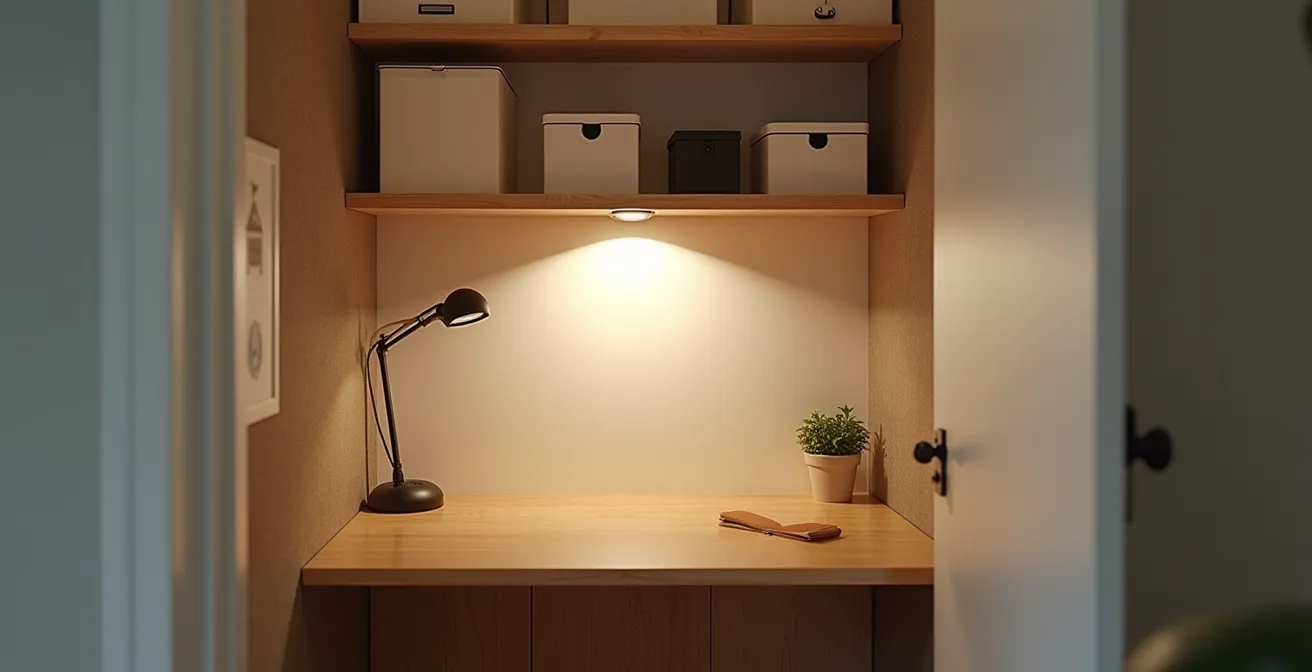
A professional home office isn’t about having a spare room; it’s about mastering the physics and psychology of your available space.
- Control sound with purpose-built acoustic materials to eliminate distracting echo.
- Implement a three-layer lighting strategy to prevent digital eye strain and create ambiance.
- Create a clear “shutdown ritual” to psychologically separate your work and personal life.
Recommendation: Treat your closet not as a compromise, but as a high-performance micro-environment engineered for focus.
The promise of remote work often clashes with the reality of limited living space. For many, the dream of a dedicated home office has been downsized to a corner of the living room or, increasingly, a repurposed closet. The “cloffice” has become a symbol of resourcefulness, but simply putting a desk inside a closet rarely creates a space that feels professional or supports deep work. The common advice—add a plant, get some organizers—only scratches the surface, focusing on aesthetics over function.
The result is often a cramped, poorly lit, and echo-filled nook that drains energy rather than fostering it. The real challenge isn’t just fitting a desk; it’s engaging in workspace engineering. It’s about mastering the unseen forces of sound, light, and electricity, and understanding the psychology of separating work from life when they’re only a few feet apart. This isn’t just about decoration; it’s about building a performance micro-environment.
This guide moves beyond generic tips to provide a strategic blueprint. We will deconstruct the core challenges of a closet office—from acoustic chaos to digital eye strain—and provide inventive, productivity-focused solutions. By treating your small space as a design challenge to be hacked, you can transform it from a mere compromise into a genuine hub of professional focus.
For those who prefer a visual walkthrough, the following video offers a great starting point, showing how a closet can be physically transformed into a functional office nook. It perfectly complements the technical and psychological strategies we’re about to explore.
To navigate this deep dive into cloffice engineering, the following summary outlines the key areas we will cover. Each section tackles a specific problem with actionable, expert-backed solutions to help you build a workspace that is not only functional but truly professional.
Summary: A Strategic Guide to Engineering Your Cloffice
- Why Closet Offices Echo and How to Dampen the Sound?
- How to Light a Closet Office to Prevent Eye Strain?
- Floating Desk or Trestles: Which Maximizes Legroom in a 1-Meter Width?
- The Wiring Mistake That Makes Your Small Desk Unusable
- Closing the Door: How to Psychologically Leave Work When It’s in Your Bedroom?
- How to Create a “Tech-Free Zone” in a Studio Apartment?
- Why Your Video Calls Freeze Even With a High-Speed Plan?
- How to Disconnect From Work When Your Office Is Also Your Living Room?
Why Closet Offices Echo and How to Dampen the Sound?
The first thing you notice during a video call in your new cloffice isn’t the clever use of space—it’s the hollow, distracting echo. Closets, with their parallel, hard surfaces (walls, door, ceiling), create a perfect echo chamber. Sound waves from your voice bounce back and forth, creating reverberation that makes you sound unprofessional and hinders concentration. This isn’t just a minor annoyance; it’s a fundamental flaw in the sensory architecture of the space.
To solve this, you must introduce soft, absorbent materials to trap sound waves instead of reflecting them. While hanging a blanket is a quick fix, a more professional solution involves targeted acoustic treatment. According to research from acoustic specialists, just four to eight low-profile acoustic panels on the ceiling and walls can transform an echoey, distracting environment into a productive office. These panels are designed to absorb a wide range of frequencies, effectively neutralizing the reverberation that plagues small, hard-surfaced rooms.
Think of it as soundproofing from the inside out. Your goal isn’t to block outside noise but to control the sound created within the space. Placing panels on the wall directly behind your monitor and on the inside of the closet door will have the most significant impact, as these are the primary reflection points for your voice. This small investment in acoustic engineering pays huge dividends in call quality and focus.
Action Plan: Professional Acoustic Treatment
- Assess Surfaces: Identify all the hard, reflective surfaces in your cloffice (drywall, wood doors, desk surface). These are your primary targets for sound absorption.
- Gather Materials: Source materials with high sound-absorbing properties. This includes dedicated acoustic panels (look for Class A rated materials for maximum efficiency), but also heavy curtains, fabric pinboards, or even a small area rug.
- Strategic Placement: Aim to cover roughly a third of all surface area with absorbent materials. Prioritize the surfaces directly opposite your sound source (your mouth) and speakers. Mount panels on the back wall and door.
- Test and Adjust: Stand in your cloffice and clap your hands. Listen for the “flutter” echo. Add or reposition panels until that sharp, metallic sound is replaced by a duller, more controlled “thud.”
- Integrate Aesthetically: Choose fabric-wrapped acoustic panels that match your decor. They can double as a pinboard or a design element, proving that function and form can coexist.
By managing the acoustics, you’re not just improving call quality; you’re engineering a space that feels more substantial and calming, laying the foundation for a truly professional micro-environment.
How to Light a Closet Office to Prevent Eye Strain?
A single, harsh overhead light is one of the fastest ways to make your cloffice feel like an interrogation room and trigger debilitating eye fatigue. Suboptimal lighting is a major workplace hazard, and it’s amplified in a compact space. In fact, VSP Vision Care research shows that nearly 3 out of 4 office workers experience digital eye strain, a problem even more pronounced for remote workers in makeshift setups. The solution lies in creating a layered lighting system that provides balanced, flexible illumination.
Instead of relying on one source, professional workspace design uses three distinct layers of light. This approach to sensory architecture not only prevents eye strain but also makes the small space feel larger and more dynamic. The three layers are:
- Ambient Light: This is the general, foundational light that fills the entire space. In a cloffice, this could be a flush-mount ceiling fixture or a wall-mounted sconce that casts a soft, diffuse glow. It should be bright enough to navigate the space without creating harsh shadows.
- Task Light: This is focused, direct light for specific activities, primarily reading and writing. A high-quality LED desk lamp with adjustable brightness and color temperature is essential. Position it to illuminate your desk area without causing glare on your computer screen.
- Accent Light: This is decorative lighting used to highlight architectural features or objects. In a cloffice, this could be a small LED strip under a shelf or a tiny picture light aimed at a piece of art. It adds depth and personality, preventing the space from feeling flat and utilitarian.
This layered approach gives you complete control over your lighting environment. You can adjust the intensity of each layer to match the time of day, the task at hand, or even your mood. It’s a strategic hack that transforms a simple closet into a sophisticated and ergonomic workspace.
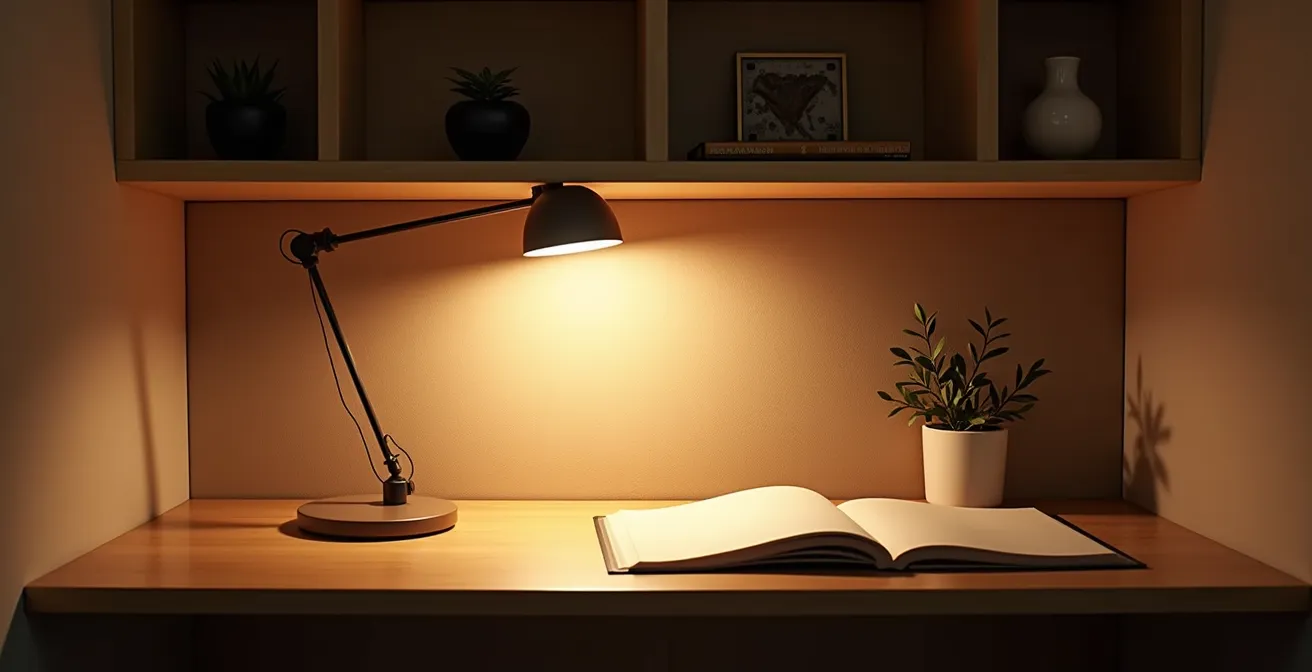
As the image demonstrates, the interplay between these three light sources creates a visually comfortable and productive environment. The ambient light provides the base, the task lamp ensures clarity for focused work, and the accent light adds a touch of professional polish. This is the key to conquering eye strain and making your cloffice a place you genuinely want to work in.
By investing in a well-designed lighting system, you are directly investing in your long-term health, comfort, and productivity.
Floating Desk or Trestles: Which Maximizes Legroom in a 1-Meter Width?
In a cloffice, every centimeter counts. When your workspace is only a meter wide, the choice of desk becomes a critical exercise in ergonomic geometry. The primary goal is to maximize usable surface area and, just as importantly, legroom. A cramped leg space leads to poor posture and discomfort, quickly undermining productivity. The two most common contenders for small spaces are the floating desk and a narrow desk on trestle legs. Each comes with a distinct set of trade-offs in stability, installation, and visual weight.
A floating desk, mounted directly to the wall studs, is the undisputed champion of maximizing legroom. With no legs to obstruct movement, it creates an open, airy feel that makes the small space seem larger. It’s a minimalist solution that is both visually clean and highly practical for anyone who values the freedom to shift their seating position. However, it requires a more permanent installation and confidence in locating and drilling into wall studs for stability.
Conversely, trestle legs offer excellent stability and require no installation—simply place a desktop on top. This makes them a great non-permanent option for renters. The downside is that the trestles themselves eat into your precious legroom and can make the space feel cluttered. The visual bulk of the legs can make a small closet feel even smaller. The decision ultimately comes down to a balance between your need for leg space, stability for your equipment, and willingness to modify your walls.
To make an informed decision, it’s helpful to compare these options across several key factors. A Murphy desk, which folds up into the wall, offers another space-saving alternative, though with its own installation complexity and cost considerations. The following table breaks down the core differences.
| Factor | Floating Desk | Trestles | Murphy Desk |
|---|---|---|---|
| Legroom | Maximum (no legs) | Limited by leg placement | Maximum when down |
| Stability | Good if properly mounted | Excellent for heavy equipment | Moderate |
| Installation | Requires wall studs | No installation needed | Complex installation |
| Reversibility | Leaves wall damage | Completely reversible | Leaves wall damage |
| Visual Weight | Light and minimal | Can appear bulky | Hidden when folded |
| Cost | $50-150 | $100-300 | $200-500 |
For a one-meter-wide cloffice where maximizing every inch of perceived and actual space is paramount, the floating desk is generally the superior choice for legroom and a minimalist aesthetic, provided you are able to mount it securely.
The Wiring Mistake That Makes Your Small Desk Unusable
You’ve built the perfect cloffice: the lighting is layered, the desk is floating, and the acoustics are dialed in. Then you plug everything in. Suddenly, your minimalist workspace is a chaotic nest of cables, with power strips taking up valuable foot space and creating a hazardous tangle. The most common and dangerous mistake is “daisy-chaining”—plugging one power strip into another to extend your reach. This isn’t just messy; it’s a significant safety risk.
As fire safety experts warn, daisy-chaining power strips is a serious fire hazard. The internal wiring of most consumer-grade strips isn’t designed to handle the load of another fully loaded strip, leading to overheating and potential fires. In a small, enclosed space like a closet, where ventilation is already limited, this risk is amplified. This single mistake can render your carefully planned office both unusable and dangerous.
The professional hack is to think vertically and get all your wiring off the floor. Mount a single, high-quality, surge-protected power strip vertically on the inside wall of the closet, next to the desk. This immediately clears your floor space and creates a centralized power hub. From there, the key is disciplined cable management. Use adhesive cable clips, fabric cable sleeves, or reusable Velcro straps to bundle and route wires neatly along the wall or the underside of the desk. The goal is to make the wiring system a planned, integral part of the office design, not an afterthought.
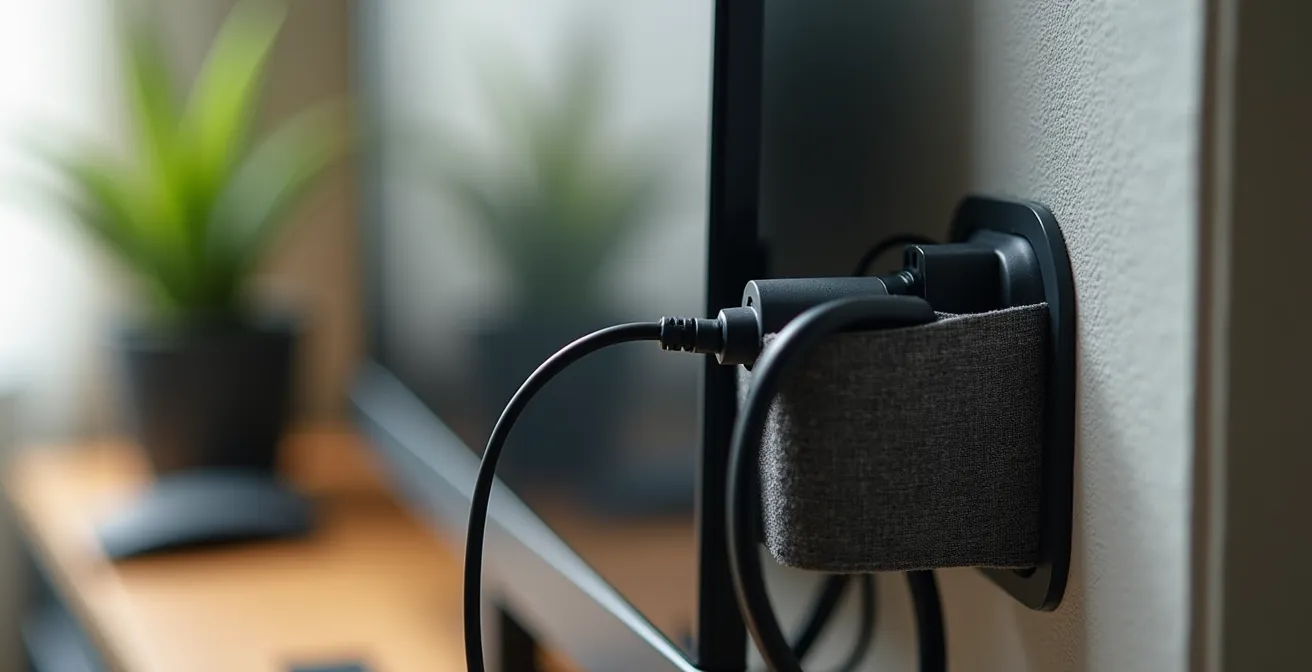
A clean wiring setup is a hallmark of a truly professional workspace. By mounting your power strip vertically and meticulously managing each cable, you not only eliminate a trip hazard and fire risk but also preserve the clean lines and precious legroom of your micro-office. This is workspace engineering in its most practical form: solving a functional problem in a way that enhances both safety and aesthetics.
A well-managed power system is the invisible foundation that allows the rest of your cloffice design to shine, keeping it safe, functional, and clutter-free.
Closing the Door: How to Psychologically Leave Work When It’s in Your Bedroom?
The biggest challenge of a cloffice, especially one located in a bedroom, isn’t physical—it’s psychological. How do you “leave work” when your office is three steps from your pillow? Without a clear separation, the line between professional duties and personal rest blurs, leading to burnout. Simply closing the closet door isn’t always enough, and for some open-concept designs, it isn’t even an option. The key is to create a powerful “shutdown ritual” that signals to your brain that the workday is officially over.
This ritual acts as a psychological threshold, a mental boundary that is more powerful than any physical door. It involves a series of small, deliberate actions that mark a transition from one state to another. One of the most effective strategies involves a change of context, as a leading expert points out.
The simple act of changing from ‘work clothes’ (even if casual) to ‘home clothes’ sends a powerful psychological signal to the brain that the professional role is over for the day.
– Workplace Psychology Expert, Remote Work Wellness Study
This simple act of changing attire is a powerful anchor for your shutdown routine. But you can make it even more robust by engaging multiple senses. For instance, some users who choose to remove their closet doors for a more open feel find that a complete transformation ritual is even more critical. This could involve tidying your desk, turning off your task lighting and switching to a warm accent light, and playing a specific “end-of-day” song. The consistency of the ritual is what builds the mental partition between your work life and your home life.
By designing a multi-sensory shutdown ritual, you are engineering a mental commute that allows you to leave your cloffice behind, even when it’s physically present in your most personal space.
How to Create a “Tech-Free Zone” in a Studio Apartment?
In a studio apartment, your office, living room, and bedroom are all the same room. Creating a “tech-free zone” might seem impossible when every square foot is multifunctional. The solution isn’t to build walls, but to implement a system of temporal and spatial zoning. This means creating rules based on time and designated micro-zones for specific activities, effectively partitioning your space without physical barriers.
The cloffice itself is the ultimate tool for this strategy. It’s a space carved out with a single, dedicated function. By its very nature, it establishes a “work zone.” The key is to enforce this boundary with strict rules. The first rule of a tech-free apartment is that work technology stays in the work zone. This means establishing the cloffice as the exclusive home for your laptop, monitors, and work-related chargers. When the laptop is closed and you step out of the closet, you are physically leaving your work behind.
From there, you can designate other areas for specific, tech-free purposes. This doesn’t require furniture rearrangement, just a shift in mindset and habit. You can create these zones with a few simple but powerful rules:
- Designate an Analog Corner: Dedicate one armchair or a small corner of your apartment exclusively to non-digital activities. Keep books, a journal, or art supplies there. When you’re in that spot, screens are forbidden.
- Enforce Time-Based Rules: Create clear boundaries around time and technology. A classic rule is “no screens at the dining table during meals.” This reclaims your eating area as a space for nourishment and connection, not work or scrolling.
- Contain the Tech: The cloffice is the perfect place to create a “charging station” for all work-related devices. At the end of the day, all work tech is plugged in and left inside the closet, out of sight and out of mind.
This approach of temporal and spatial zoning allows you to reclaim parts of your studio for rest and relaxation, proving that you don’t need separate rooms to have separate lives.
Why Your Video Calls Freeze Even With a High-Speed Plan?
It’s one of the most frustrating remote work experiences: you’re in the middle of an important presentation, and your video freezes. You pay for a high-speed internet plan, so what’s the problem? In a cloffice setup, the issue often isn’t your internet provider’s speed, but a combination of three hidden culprits that sabotage your connection: Wi-Fi signal blockage, insufficient upload speed, and resource-hungry background processes.
First, your closet itself might be the problem. The walls and door, especially in older buildings, can contain materials that block or weaken Wi-Fi signals. Your cloffice can effectively act like a miniature Faraday cage, degrading the signal before it even reaches your laptop. This is especially true if your Wi-Fi router is located far away in another room. The signal has to travel through multiple walls, with the closet being the final, most challenging barrier.
Second, there’s a critical difference between download and upload speed. Internet Service Providers (ISPs) prominently advertise high download speeds, which are great for streaming movies or browsing websites. However, video conferencing relies heavily on your upload speed—the rate at which you can send data from your computer to the internet. Most internet plans are asymmetrical, offering significantly lower upload speeds. A low upload speed is a classic bottleneck that causes your video feed to freeze or become pixelated, even if your download speed is excellent.
Finally, your computer’s own resources could be the bottleneck. Even with a strong internet connection, video calls are demanding on your computer’s processor (CPU) and memory (RAM). If you have other applications running in the background—especially cloud syncing services like Dropbox or Google Drive, automatic software updates, or dozens of open browser tabs—they are competing for those same resources. This competition can starve your video call application of the processing power it needs, causing it to stutter and freeze. Effectively, your computer is too busy to keep up with the call.
By addressing signal strength, checking your upload speed, and managing background processes, you can achieve stable, professional-quality video calls from your cloffice.
Key Takeaways
- A professional cloffice is an engineered system, not just a decorated nook. Success depends on controlling unseen factors like sound and light.
- Layered lighting (ambient, task, accent) is non-negotiable for preventing eye strain and making a small space feel dynamic and professional.
- Psychological separation is as important as physical organization. A deliberate “shutdown ritual” is essential for work-life balance, especially in a bedroom office.
How to Disconnect From Work When Your Office Is Also Your Living Room?
When your commute is a ten-second walk from the sofa to the closet, the boundaries between work and life evaporate. The challenge of disconnecting is immense, but it’s a solvable problem. Take the story of a NYC teacher who, while teaching remotely from a cottage, used a small school grant to transform a bedroom closet into a private workspace. This act of creation was the first step, but the real transformation came from learning how to mentally “leave” that space at the end of each day. This process of disconnection is a skill, and it’s built on creating clear, multi-sensory transition rituals.
Your brain relies on environmental cues to switch contexts. When the environment doesn’t change, you have to manufacture those cues. This is where a sensory transformation checklist comes into play. It’s a series of small, deliberate actions that signal a definitive end to the workday by engaging your senses of sight, sound, and even taste. It’s about fundamentally changing the atmosphere of your space from “work mode” to “personal mode.”
A powerful shutdown ritual could look like this:
- Shift the Light: This is the most impactful sensory shift. Use smart bulbs or separate lamps to switch from the cool, blue-toned “focus” light of your workday to a warm, soft, yellow-toned “relax” light in the evening. This single change tells your brain it’s time to wind down.
- Change the Soundscape: Turn off work-related notifications and switch the room’s audio from a focus-enhancing playlist or silence to personal music, a podcast, or the television. The change in auditory input is a powerful psychological trigger.
- Create a Threshold Action: This is a simple, repeatable physical act that marks the end of work. It could be as simple as closing your laptop and placing it in a drawer, or a more ritualized action like preparing a specific after-work beverage, like a cup of tea or a cold drink.
By consciously engineering these transitional moments, you reclaim your living space and your personal time, ensuring that your home remains a sanctuary, even if it also houses your office.
Frequently Asked Questions About Building a Cloffice
Why does a closet affect my WiFi signal?
A closet can act like a Faraday cage, especially with older construction materials, weakening Wi-Fi signals that have to pass through multiple walls. The enclosed nature of the space can degrade signal strength, making a direct ethernet connection or a Wi-Fi mesh node near the closet a more reliable option. Electrical interference from devices within the small space can also affect signals.
What’s the difference between download and upload speeds?
Download speed is the rate at which your computer receives data from the internet (e.g., streaming a video, loading a webpage). It’s what ISPs primarily advertise. Upload speed is the rate at which your computer sends data to the internet (e.g., your video feed in a Zoom call). For smooth video conferencing, a stable and sufficient upload speed is far more critical than a high download speed.
How do background processes affect video calls?
Background processes like cloud file syncing (Dropbox, Google Drive), automatic software updates, and even numerous open browser tabs consume your computer’s CPU and RAM. Video calls are also resource-intensive. When these processes compete for the same limited resources, it can cause your video call application to lag, stutter, or freeze, even if your internet connection is perfectly stable.